


01
Choose Plan
Review the available listing plans
Compare the current plans shown on SabahBusiness and select the option that best matches your business needs.
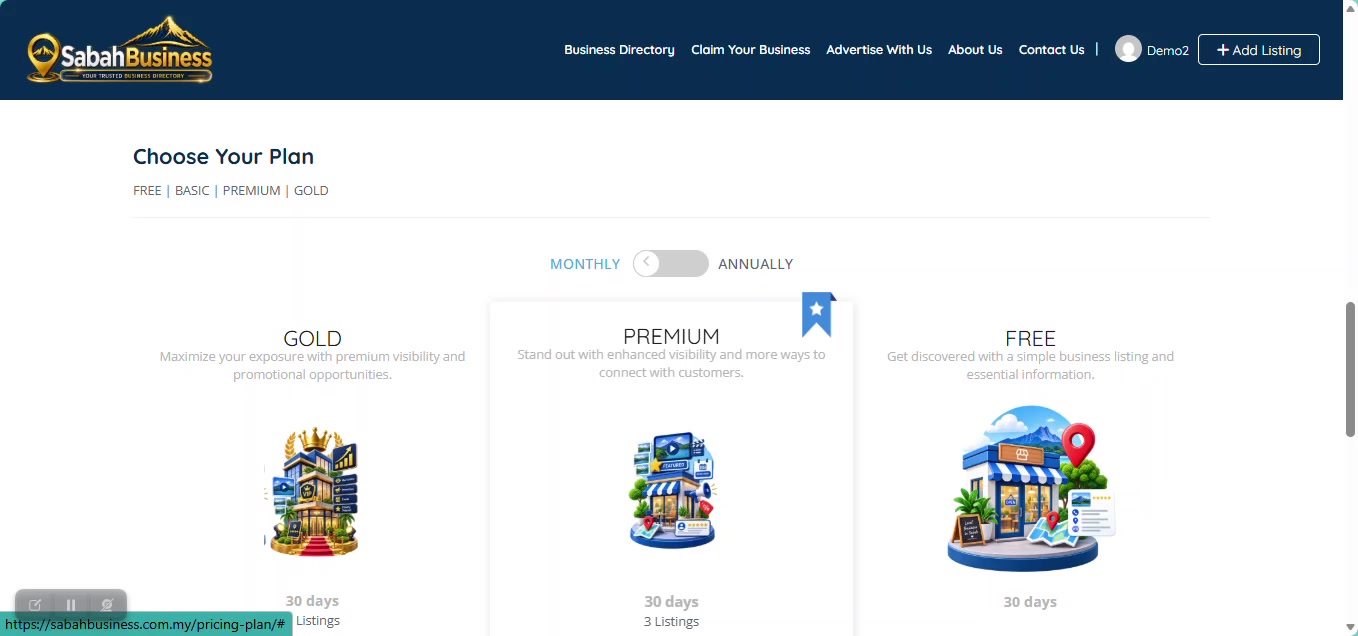

Understand SabahBusiness listing plans, the payment process, payment verification and where to view your invoices.
SabahBusiness provides different listing options. Review the current plan information shown on the website before making your selection.
A practical option for businesses that need an enhanced business presence.
Designed for businesses that want stronger visibility and additional listing features.
A higher-visibility option for businesses looking for additional promotional exposure.
Compare the current plans shown on SabahBusiness and select the option that best matches your business needs.
Check the selected plan and final amount shown during checkout before proceeding.
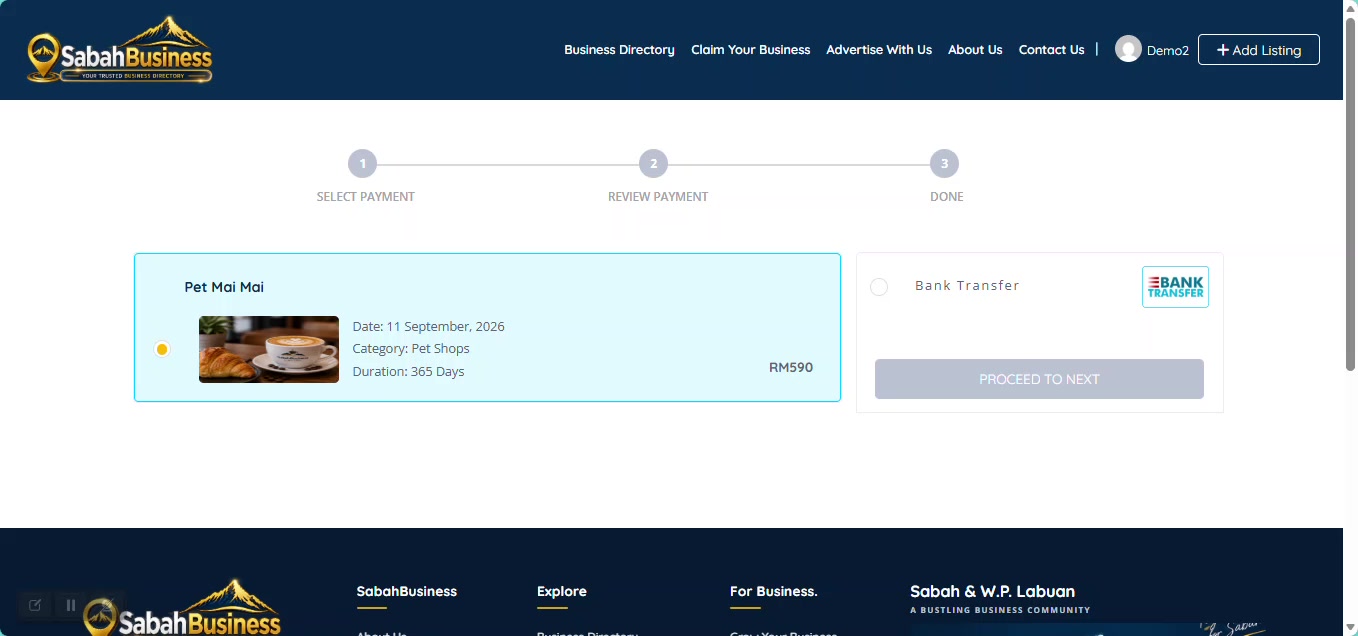
If an active promotion applies, confirm that the final amount displayed during checkout is correct before proceeding.
Complete your payment using the current payment instructions displayed during the SabahBusiness checkout process. Always check the payment details carefully before completing your transaction.
Payment information may be updated from time to time. Always follow the current instructions displayed for your order.
Keep a clear copy of your payment receipt or transaction record for reference during the verification process.
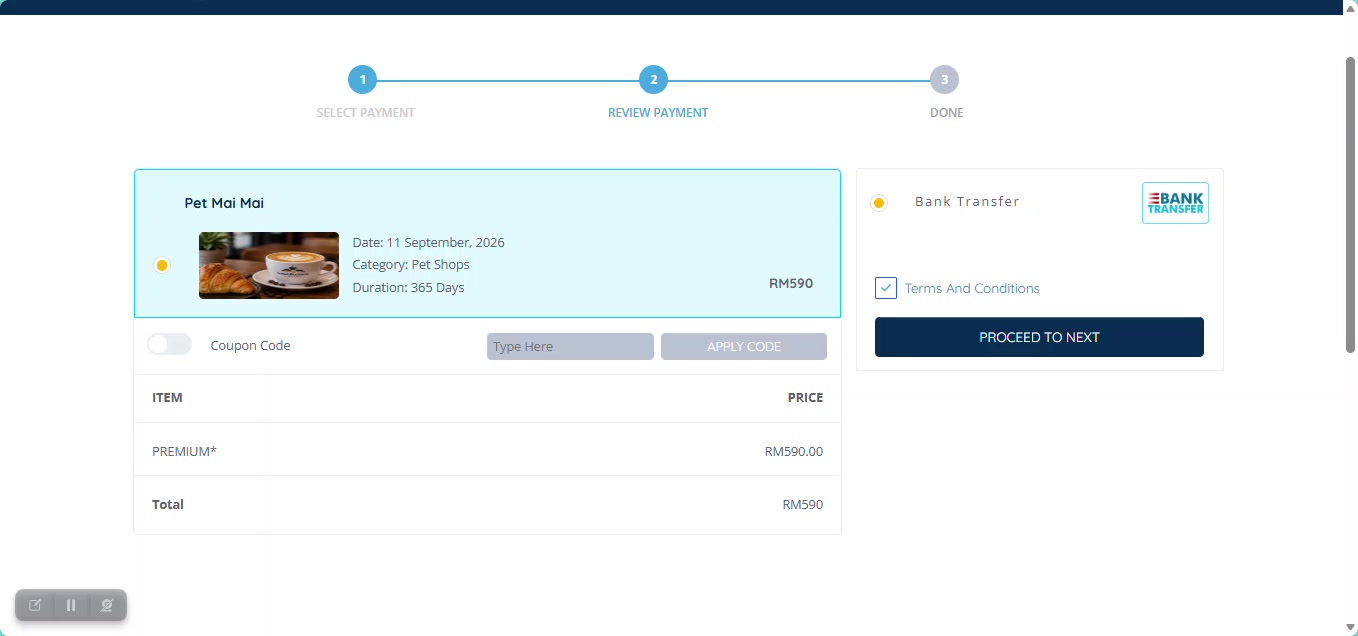
A clear transaction record can help if payment verification requires additional checking.
Manual payment may remain pending until SabahBusiness verifies the payment and related order information.
A pending payment may simply be waiting for verification. Avoid submitting repeated payments for the same order unless instructed.
Your account provides access to available invoice records related to your listing orders.
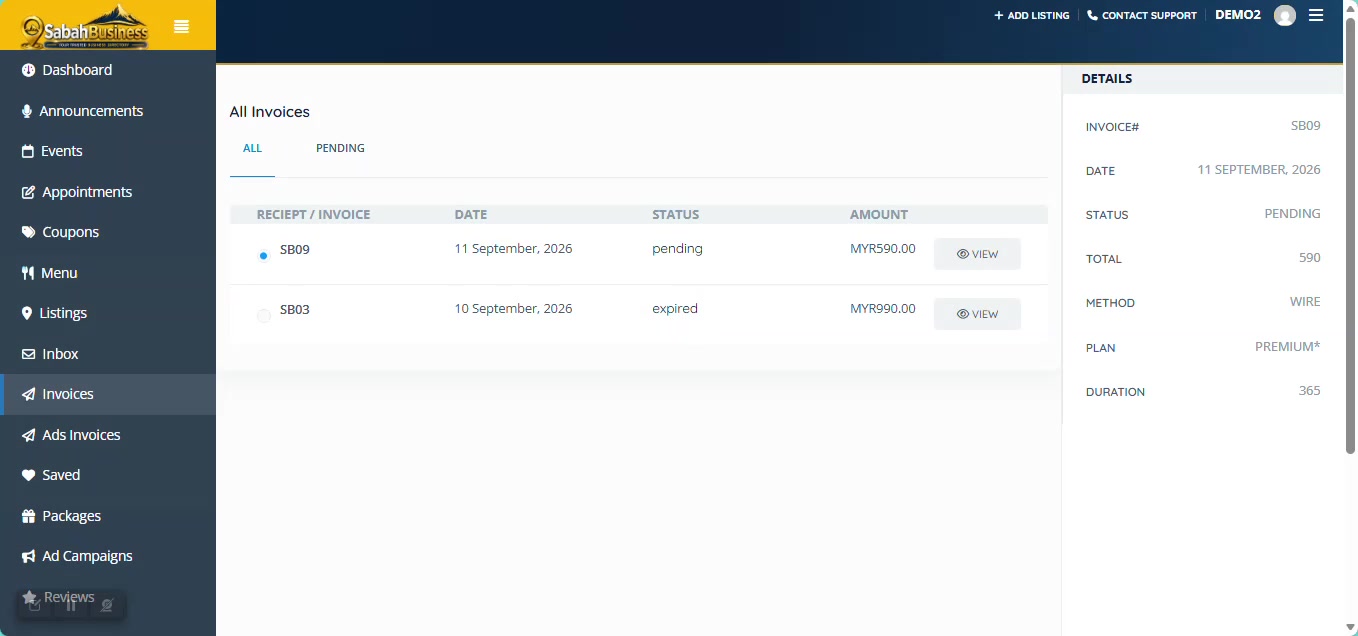
After payment has been verified and processed, your order status will be updated accordingly. You can then review the related listing plan and order information from your account.
Retain your transaction receipt for reference even after the order has been processed.
Always use the current payment instructions displayed by SabahBusiness. Review your selected plan, order amount and checkout information before completing a transaction.
Contact SabahBusiness Payment Support if you need further assistance.