


01
Dashboard
Open your SabahBusiness Dashboard
Sign in to your account and open your dashboard. This is where you can view your existing listings, package activity and listing management options.
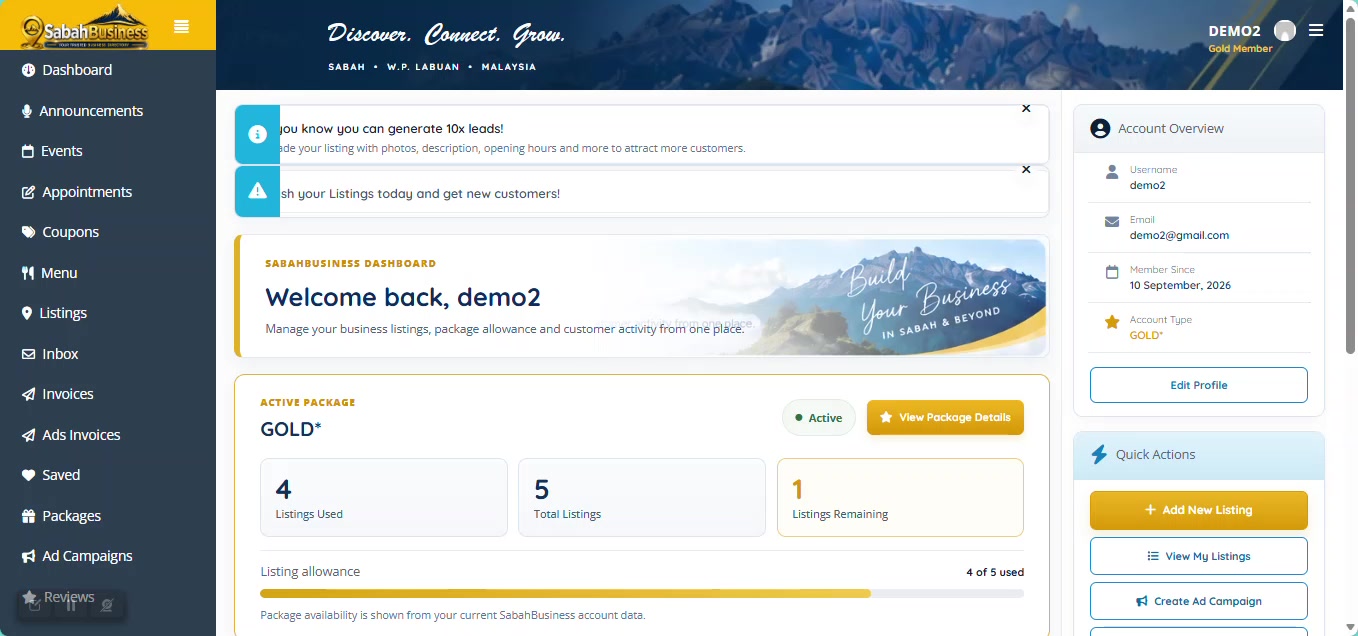

Learn how to add another business listing, use your available package listings and upgrade when you want additional business visibility.
What happens after you choose Add Listing depends on whether your current package still has an available listing allocation.
If your active package still includes an unused listing allocation, SabahBusiness takes you directly to the listing form so you can continue adding your business.
If there are no remaining listings available, you will be guided to the available plans before adding another listing.
Sign in to your account and open your dashboard. This is where you can view your existing listings, package activity and listing management options.
Add the correct business title, location, contact details and other important information for the business you are listing.
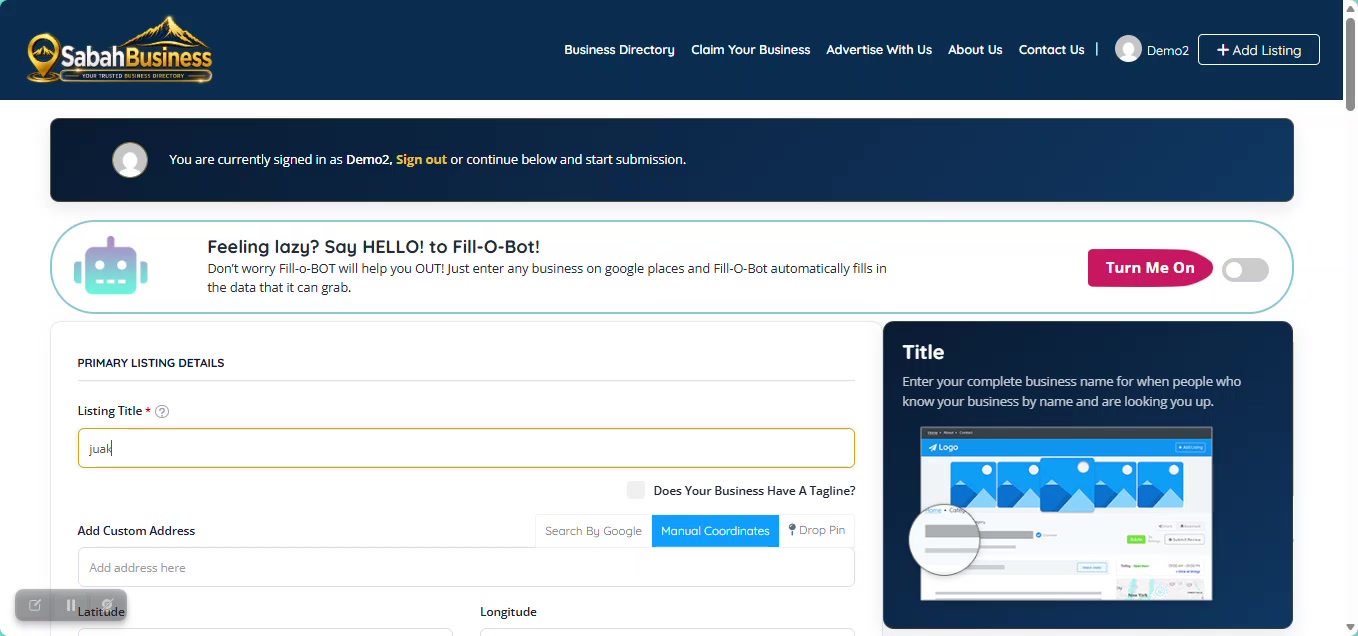
Use information that belongs to the business being listed and check the spelling carefully.
Select a category that best represents the main products or services offered by the business.
After selecting your business category, SabahBusiness will display the relevant features available for that category. Please tick only the features that are currently available or applicable to your business listing.
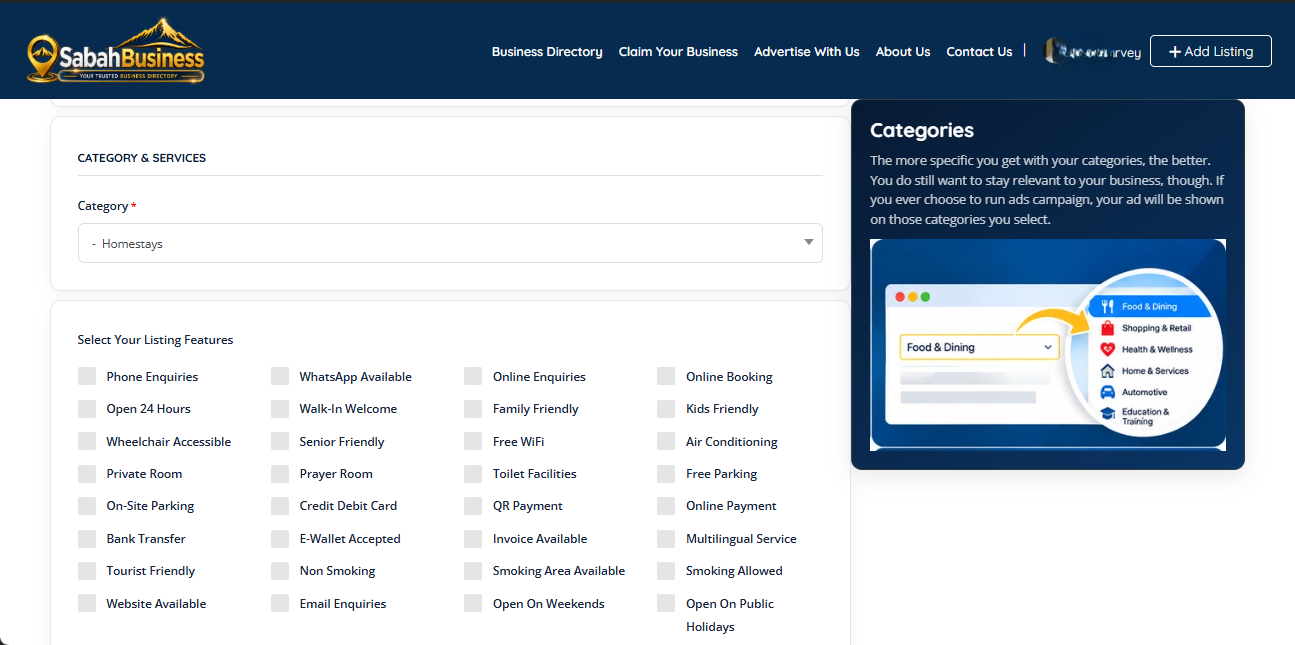
You do not need to select every feature. Tick only the facilities, services, payment options or other features that your business actually provides. If a feature does not apply to your business, simply leave it unticked. Accurate information helps customers understand your business and find services that meet their needs.
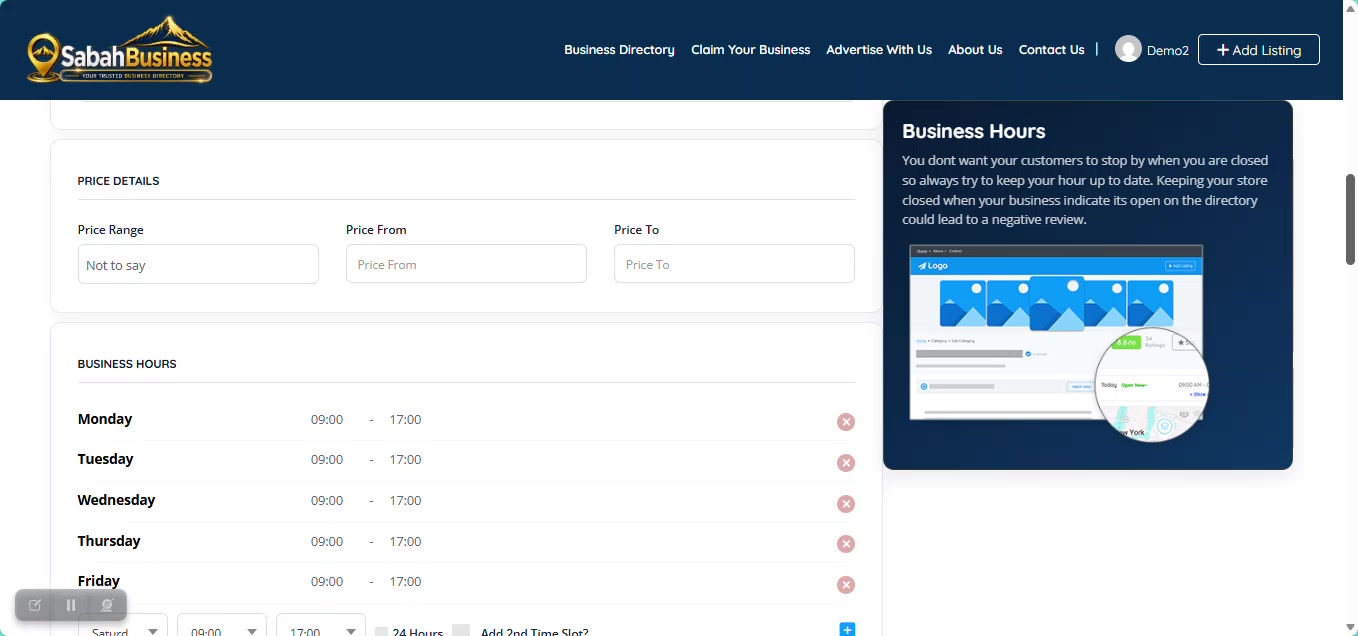
If the field is relevant to your business, select the price range that best represents your normal products or services.
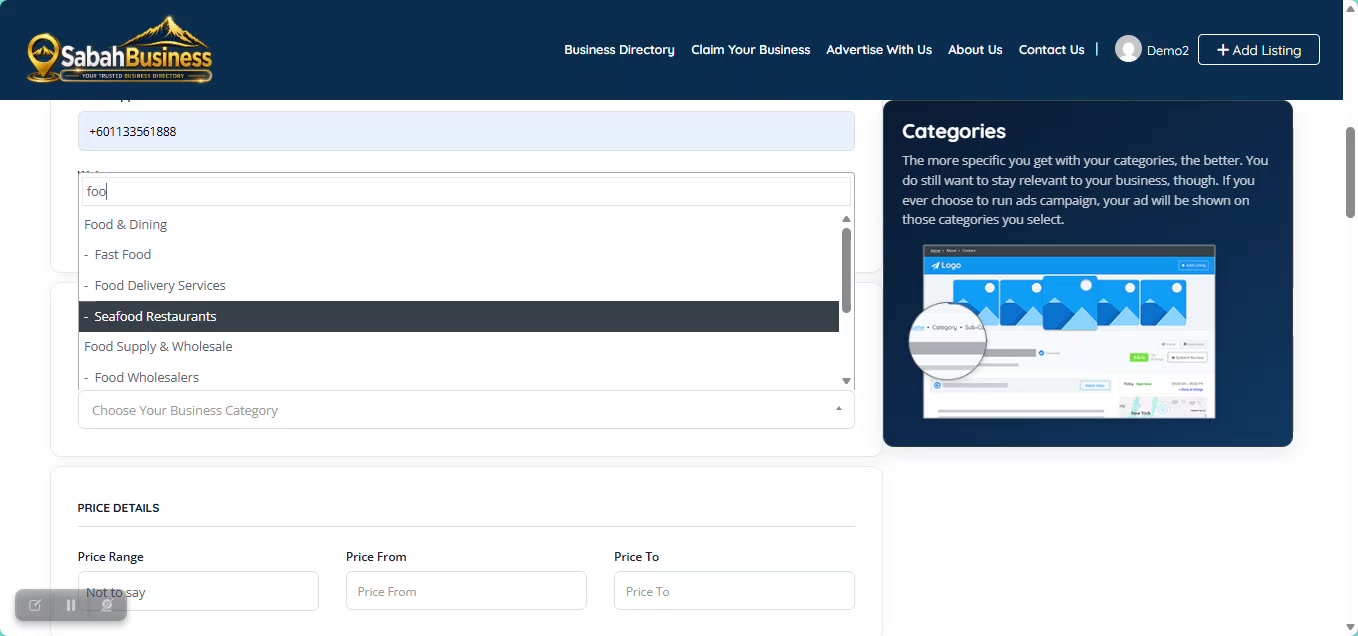
Choose a strong featured image and review the listing information before continuing.
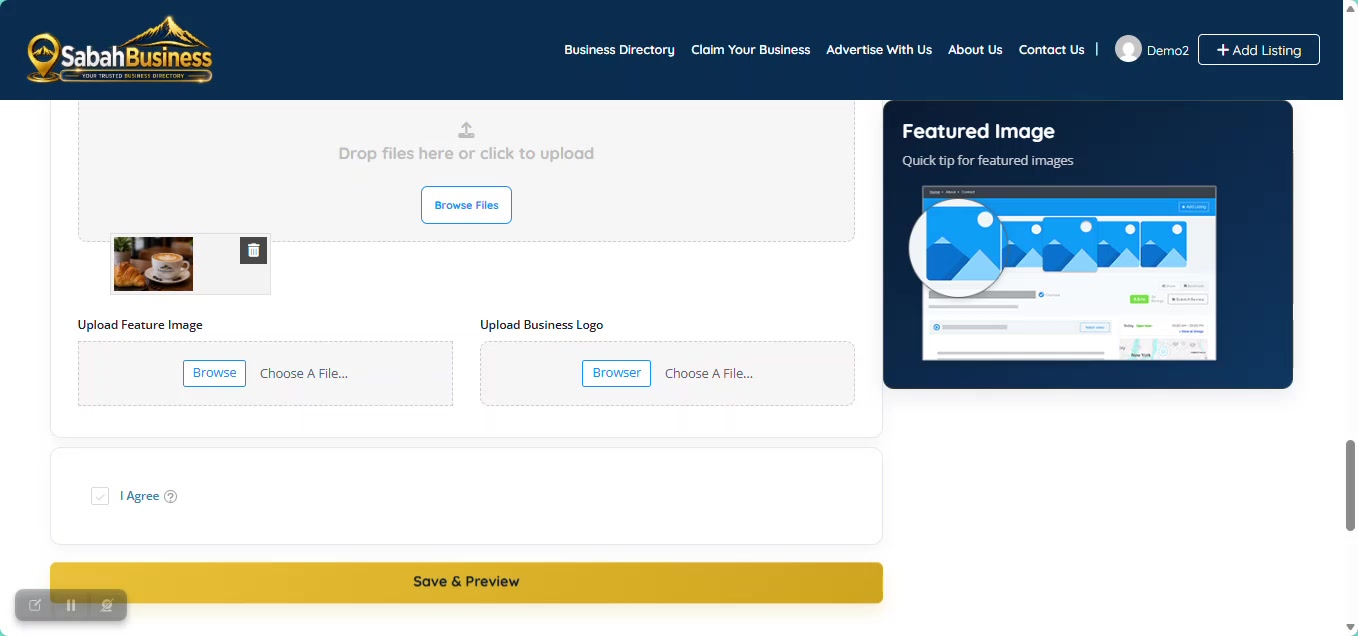
Check the title, address, category, contact details, description and images before moving to the next step.
Your dashboard provides access to the listings associated with your account, together with the available management options.
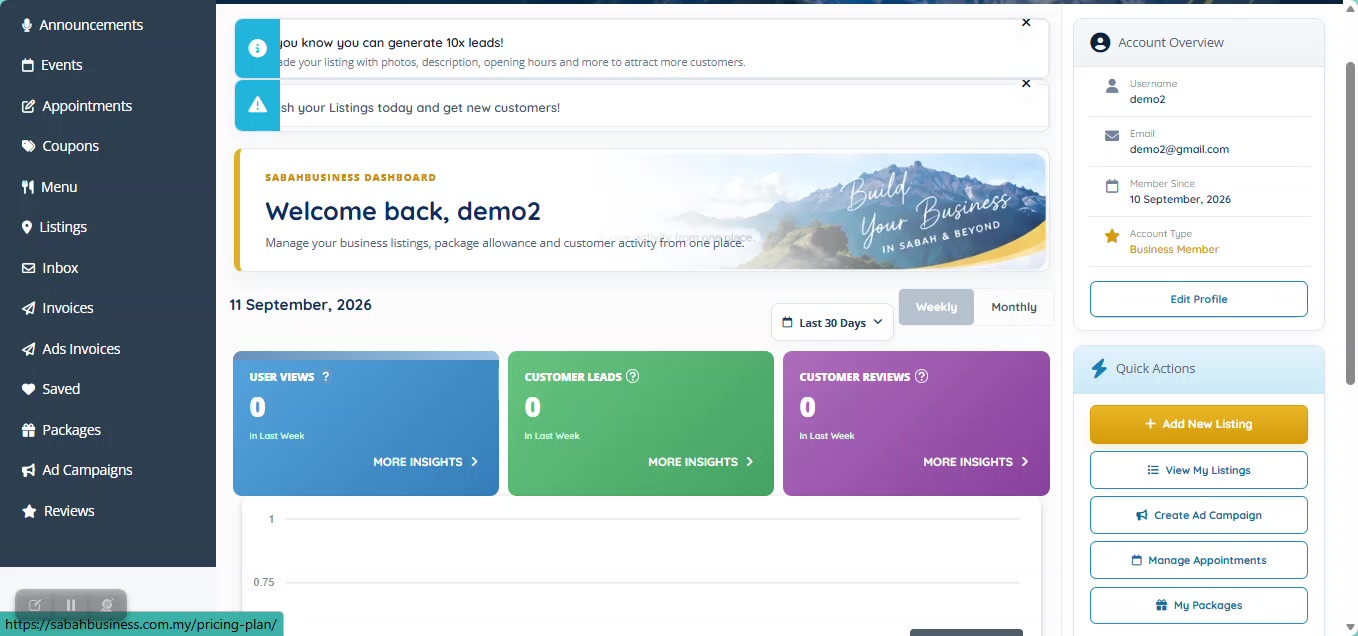
When an additional package or upgrade is required, SabahBusiness will show the available plans so you can select the option that suits your business needs.
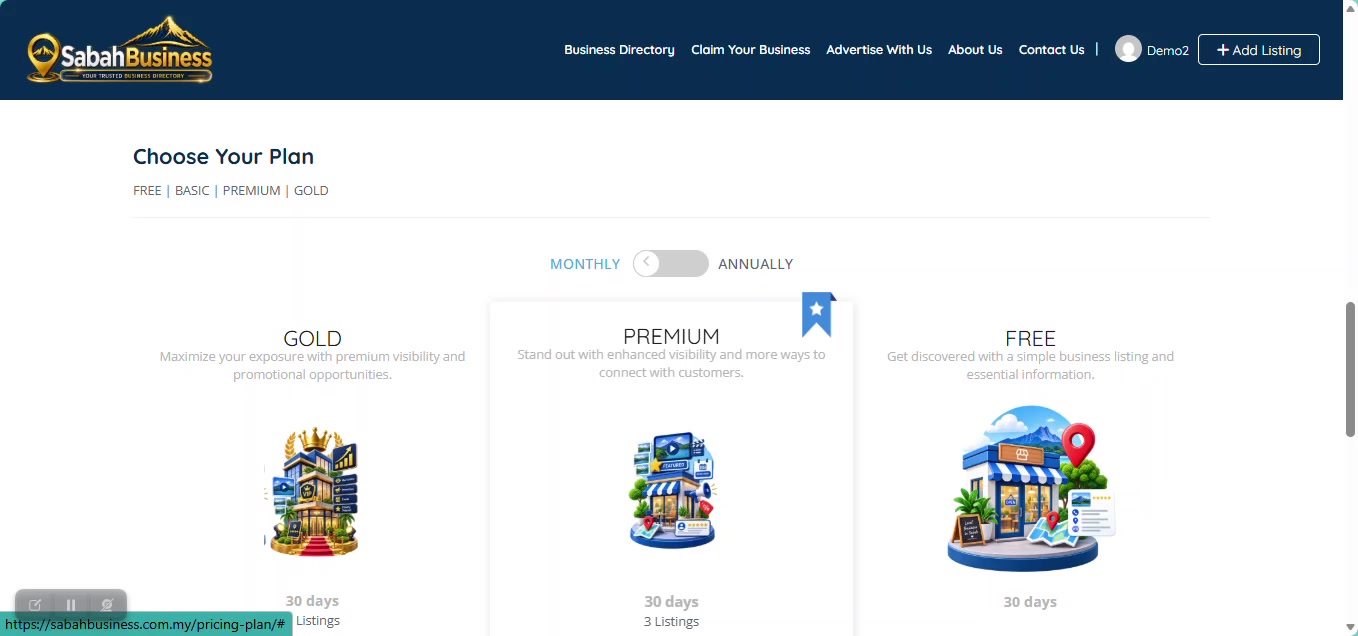
Review the current plan information shown on SabahBusiness before proceeding.
SabahBusiness provides different listing options so businesses can choose the level of visibility and features suitable for their needs.
A practical option for businesses that need a straightforward enhanced business presence.
Designed for businesses that want stronger visibility and additional listing features.
Our higher-visibility option for businesses looking for maximum promotional exposure.
Contact SabahBusiness Support if you need further assistance before proceeding.